
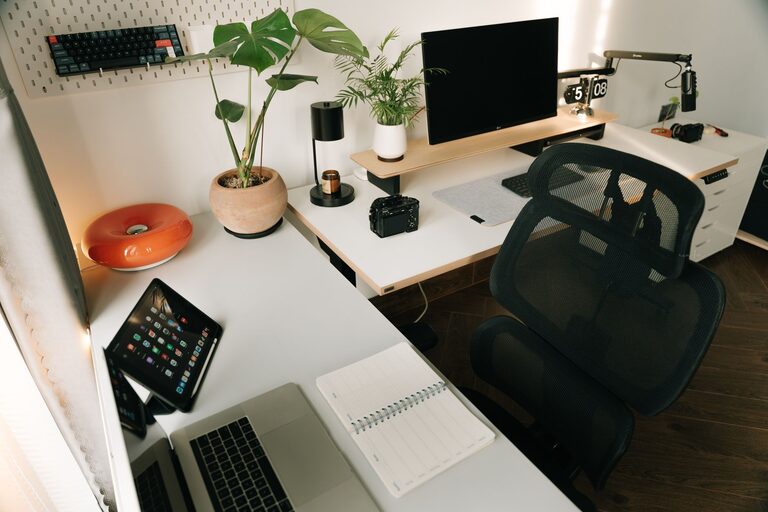
Creating an organized and productive workspace at home can greatly improve your focus and efficiency throughout the day. Whether you work remotely full-time, freelance, or simply need a dedicated area to handle personal tasks, having a well-designed space is key to staying motivated and on track. This post will guide you through simple steps to set up a home workspace that inspires productivity while keeping clutter at bay.
Choose the Right Location
Selecting an appropriate spot for your workspace is the first step. Ideally, pick a quiet area away from high-traffic zones where distractions are limited. Natural light is a bonus as it helps reduce eye strain and energizes your mind. If space is limited, even a small nook or corner can be transformed into a functional work zone.
Invest in Comfortable and Functional Furniture
The furniture you use affects both comfort and efficiency. Here are some essentials to consider:
– Desk: Choose a desk that fits your needs and space. A sturdy desk with enough surface area for your computer, notepads, and other essentials is ideal.
– Chair: Invest in an ergonomic chair that supports good posture to avoid back pain during long hours.
– Storage: Incorporate shelves, drawers, or filing cabinets to keep documents and supplies organized and within reach.
Organize Your Tools and Supplies
Clutter can kill productivity. Keep only daily essentials on your desk to maintain a clean look. Use organizers such as trays, pen holders, or drawer dividers to categorize items like pens, sticky notes, and chargers.
Regularly declutter your workspace, removing items that are no longer necessary. This habit prevents accumulation and creates a calming environment.
Optimize Lighting
Good lighting helps reduce eye strain and fatigue. Aim for a mix of natural and artificial light:
– Position your desk near a window if possible.
– Use adjustable LED desk lamps with warm or neutral light.
– Avoid glare on screens by controlling the direction and intensity of light.
Minimize Digital Distractions
Digital devices are essential but can also be distracting. To stay focused:
– Turn off non-work notifications during work hours.
– Use productivity apps that block distracting websites.
– Keep your desktop tidy by organizing files into folders.
Personalize Your Space
Adding personal touches can make your workspace more inviting and boost morale. Consider:
– A few framed photos or artwork
– A small indoor plant, which can enhance air quality and reduce stress
– Inspirational quotes or vision boards
Just be careful not to overcrowd your desk with decorations.
Set Clear Boundaries
When working from home, it’s important to separate work from leisure mentally and physically.
– Use your designated workspace only for work, if possible.
– Establish working hours and share them with family or roommates.
– At the end of the day, tidy up your space to signal the transition from work mode to home life.
Maintain Good Cable Management
Tangled cables can add unnecessary mess and distract you. Use cable ties, clips, or covers to keep wires organized and out of sight. This not only improves aesthetics but also safety.
Incorporate Time Management Tools
To maximize productivity, integrate time management tools into your workspace:
– Use a wall clock or desk timer to keep track of work sessions and breaks.
– Place a calendar or planner nearby for quick scheduling.
– Consider apps that support the Pomodoro technique or task prioritization.
Keep Healthy Habits in Mind
Your workspace should encourage healthy habits:
– Stay hydrated by keeping a water bottle nearby.
– Take regular breaks to stretch and rest your eyes.
– Ensure your monitor is positioned at eye level to reduce neck strain.
—
Creating a productive and organized workspace at home doesn’t require a complete overhaul. Small changes and mindful habits can transform your environment into a focus-friendly zone that helps you achieve your daily goals more efficiently. Start by assessing your current setup and gradually implement these tips to build a comfortable, clutter-free, and inspiring workspace.